

Download Ge.tt – Free Flexible File Sharing Tool for Windows, Mac, Android & iOS
Overview
Ge.tt is a lightweight, browser‑based file‑sharing web app that focuses on speed, simplicity, and anonymity. Unlike many cloud services that require lengthy sign‑up processes, Ge.tt lets users drop a file into the browser and instantly generate a shareable link. The moment the upload begins, recipients can start downloading the parts that have already arrived, which dramatically reduces waiting time for large files.
For casual users, the free anonymous tier provides 250 MB of storage per file with a daily download cap of 5 GB, while registered users enjoy extended retention periods and a higher download ceiling of 10 GB per day. Power users can upgrade to the Premium+ plan for permanent storage, unlimited daily downloads, and larger file‑size allowances. Because Ge.tt runs entirely in the browser, there is no client software to install on Windows, macOS, Android, or iOS, making it an ideal solution for on‑the‑go collaboration, quick document exchanges, or sending large media assets without leaving a digital footprint.
The service is secured with HTTPS encryption, ensuring that files travel safely between sender and receiver, and the platform updates automatically, so users always benefit from the latest performance improvements without manual patches. Whether you need to share a 200 MB video clip with a teammate across the globe or distribute a collection of PDFs to a remote class, Ge.tt delivers a fast, secure, and free way to get files where they need to go.
Key Features of Ge.tt
- Instant Real‑Time Transfer: Recipients can begin downloading as soon as the first bytes arrive, cutting down waiting periods for large files.
- No Account Required for Basic Use: Anonymous users can upload up to 250 MB per file without registration, preserving privacy.
- Secure HTTPS Connection: All data is encrypted in transit, protecting files from interception.
- Cross‑Platform Browser Access: Works on any modern browser on Windows, macOS, Linux, Android, and iOS.
- Generous Free Tier Limits: 250 MB per file, 5 GB daily download quota for anonymous users, and 10 GB for registered accounts.
- Premium+ Upgrade: Unlimited daily downloads, permanent file storage, and larger file‑size caps for professional needs.
- Automatic File Deletion: Free files are removed after a short retention period, keeping storage lean; registered users enjoy longer retention.
- Simple Shareable Links: A short URL is generated instantly, which can be copied or shared via email, chat, or social media.
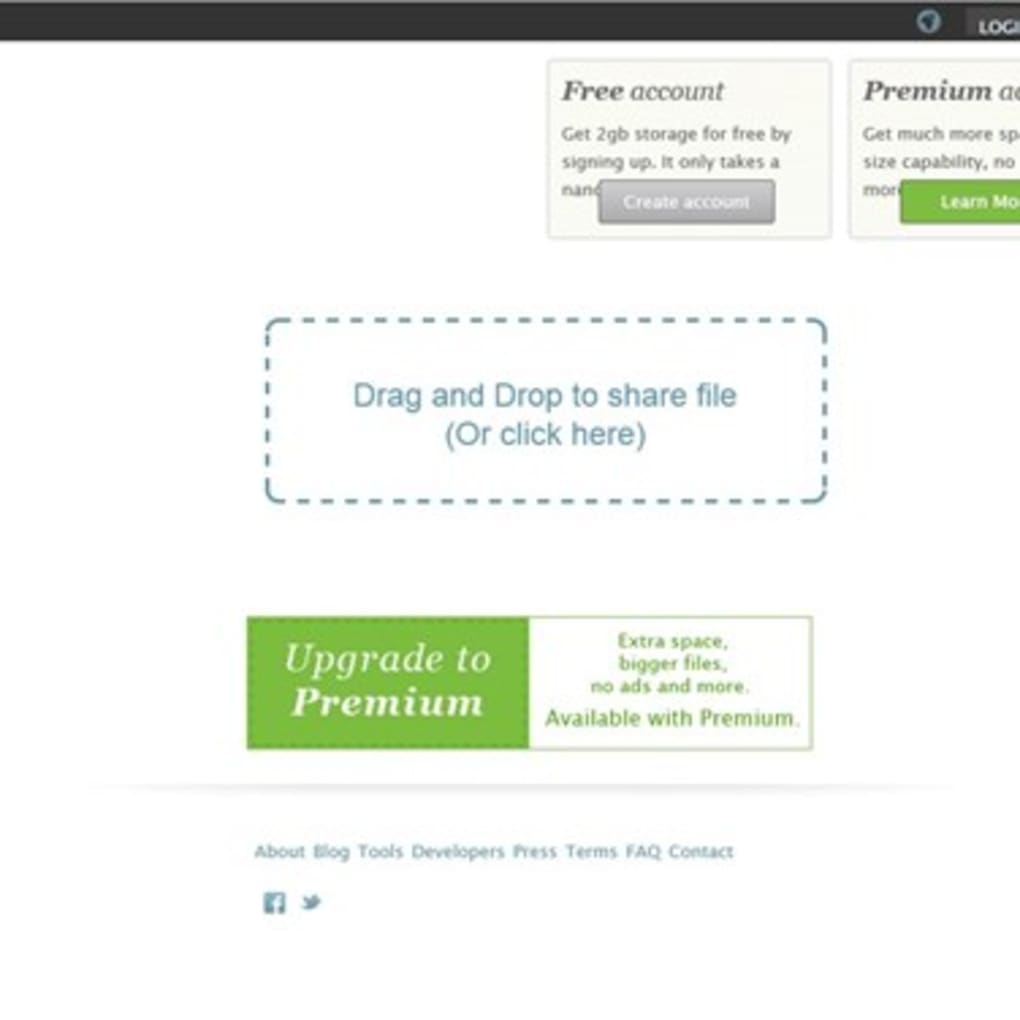
- Drag‑and‑Drop Interface: Uploading is as easy as dragging a file onto the web page, with visual progress indicators.
- API Access (Premium): Developers can integrate Ge.tt’s upload and download endpoints into custom workflows or apps.
Installation & Usage Guide
Because Ge.tt is a web‑based service, there is no traditional installation process. To start sharing files, open a supported browser (Chrome, Firefox, Edge, Safari, or the native browsers on Android and iOS) and navigate to ge.tt. The home page presents a clear drag‑and‑drop zone labeled “Drop files here to share.” Simply drag a file from your desktop, file manager, or mobile storage into this area.
As soon as the upload begins, a progress bar displays the percentage completed and the estimated time remaining. Once the initial chunk is uploaded, a shareable link appears below the progress bar. Click “Copy Link” to place it on your clipboard, then paste it into an email, messenger, or any communication channel.
For users who prefer a more permanent solution, click the “Sign Up” button in the top‑right corner. Registration is optional but provides benefits such as extended file retention (up to 30 days) and a higher daily download quota. After creating an account, you can manage uploaded files from a personal dashboard, where you can delete, rename, or set password protection for individual links. Premium+ subscribers gain access to a “Settings” panel where they can configure permanent storage, enable download notifications, and generate API keys for programmatic access.
On mobile devices, the workflow is identical: tap the upload area, select a file from your gallery, documents, or file manager, and wait for the link to be generated. The responsive design ensures the progress bar and share button remain usable on small screens. Because the entire process happens in the browser, there is no need to grant additional permissions beyond the standard file‑selection prompt, preserving user privacy.
Compatibility
Ge.tt is built on standard HTML5, JavaScript, and WebRTC technologies, making it compatible with virtually any operating system that can run a modern web browser. Tested platforms include:
- Windows 10, 11 – Chrome, Edge, Firefox, and Safari (via Windows Subsystem for Linux)
- macOS Monterey and later – Safari, Chrome, Firefox
- Linux distributions (Ubuntu, Fedora, Debian) – Chrome, Firefox
- Android 9+ – Chrome, Firefox, and the native Android browser
- iOS 13+ – Safari and Chrome (iOS version)
Pros and Cons
Pros
- Instant real‑time downloading reduces wait times.
- Fully web‑based – no installation needed on any OS.
- Free anonymous tier with generous 250 MB file limit.
- Secure HTTPS encryption protects data in transit.
- Simple drag‑and‑drop interface ideal for non‑technical users.
- Premium+ plan offers permanent storage and unlimited downloads.
- Responsive design works seamlessly on mobile devices.
- API access for developers (Premium).
- Short, easy‑to‑share URLs.
- Automatic file deletion keeps storage clean for free users.
Cons
- Free tier imposes a 250 MB per‑file size limit.
- Daily download quota (5 GB for anonymous) may be restrictive for heavy users.
- Files are removed after a short retention period unless you register.
- No built‑in folder hierarchy – each upload generates a separate link.
- Limited collaboration features compared to full‑featured cloud services.
- Premium pricing is not disclosed on the main page, requiring extra navigation.
- Reliance on third‑party browsers; older browsers may lack full functionality.
- No native desktop client for background uploads.
- API access is reserved for paid users only.
- Potential for link sharing abuse if not protected with passwords.
Frequently Asked Questions
Is Ge.tt really free to use?
Yes. Ge.tt offers a completely free tier that allows anonymous users to upload files up to 250 MB in size and provides a daily download limit of 5 GB. Registration is optional but adds extra storage time and a higher download quota.
Do I need to create an account to share files?
No. You can upload and share files without an account. However, creating a free account extends the retention period for your uploads and raises the daily download limit to 10 GB. Premium+ accounts unlock permanent storage and unlimited downloads.
How secure is the file transfer?
All transfers are protected with HTTPS encryption, which secures the data while it travels between your browser and Ge.tt’s servers. For added privacy, you can set a password on any shared link (available to registered users).
Can I use Ge.tt on mobile devices?
Absolutely. The web app is fully responsive and works on Android 9+ and iOS 13+ browsers. The upload process uses the native file picker, and the generated link can be shared directly from your phone or tablet.
What happens to my files after the retention period expires?
For free anonymous uploads, files are automatically deleted after a short period (usually 24‑48 hours). Registered users enjoy a longer retention window—up to 30 days—while Premium+ users benefit from permanent storage, meaning the files remain available until you manually delete them.
Is there an API for developers?
Yes. Premium subscribers receive an API key that allows programmatic uploads, link generation, and download tracking. The API follows REST principles and returns JSON responses, making it easy to integrate into custom applications or automated workflows.
Conclusion & Call to Action
Ge.tt delivers on its promise of fast, free, and flexible file sharing without the baggage of heavyweight cloud platforms. Its browser‑only approach eliminates the need for installations, while real‑time streaming ensures that recipients can start downloading almost immediately. For occasional users who need a quick way to send a 200 MB video or a handful of PDFs, the free anonymous tier is more than sufficient. Power users and professionals will appreciate the extended retention, higher download caps, and permanent storage options offered by the Premium+ plan. Although the service lacks advanced collaboration tools found in larger ecosystems, its simplicity, cross‑platform compatibility, and secure HTTPS transfer make it a compelling choice for anyone who values speed and privacy.
Ready to try a truly instant file‑sharing experience? Visit Ge.tt now, drop your first file, and see how quickly your link is ready to share. If you find yourself needing longer storage or unlimited downloads, consider upgrading to Premium+ – the process is seamless and can be completed directly from your dashboard. Enjoy fast, secure, and hassle‑free sharing today!



.png)



